Your Selected Vehicle
Parts for your 2003 Holden Astra-Batteries



30%OFF
Drivetech 4x4 OE Style Switch UHF RJ45 Socket, Suits Toyota and Mitsubishi - DT-11105
$32.20
$46

30%OFF
Drivetech 4x4 OE Style Push Button Switch Lightbar, Suits Toyota and Mitsubishi - DT-11081
$23.10
$33


30%OFF
Drivetech 4x4 OE Style Push Button Switch Aux Lights Symbol Suits Toyota and Mitsubishi - DT-11078
$23.10
$33


30%OFF
Drivetech 4x4 Dual USB Socket 2.1A Per USB - Panel Mount with Voltmeter - DT-11025
$37.80
$54

30%OFF
Drivetech 4x4 Rocker Fog Lights Switch On/Off SPST 12 or 24V Blue Illumination (Contacts Rated 20A @ 12V) - DT-11020
$21.70
$31


30%OFF
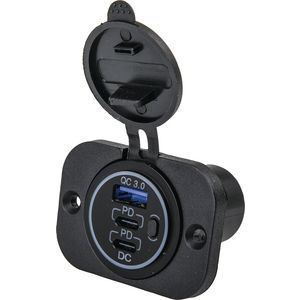
Drivetech 4x4 QC3.0 Quick Charge USB, Type-C Port and Voltage Display Power Socket - DT-17103
$30.80
$44


30%OFF
Drivetech 4x4 OE Style Push Button Switch Driving Lights, Suits Toyota and Mitsubishi - DT-11002
$23.10
$33


30%OFF
Drivetech 4x4 Rocker Beacon Switch On/Off SPST 12 or 24V Blue Illumination (Contacts Rated 20A @ 12V) - DT-11012
$21.70
$31


30%OFF
Drivetech 4x4 OE Style Push Button Switch Aux Lights Symbol Suits Toyota - DT-11019
$26.60
$38

30%OFF
Drivetech 4x4 Rocker Driving Lights Switch On/Off SPST 12 or 24V Blue Illumination (Contacts Rated 20A @ 12V) - DT-11008
$21.70
$31


30%OFF
Drivetech 4x4 Rocker Winch Switch Mom On/Off Mom On SPDT 12 or 24V Blue Illuminated (Contacts Rated 20A @ 12V) - DT-11007
$30.10
$43

30%OFF
Drivetech 4x4 Rocker AUX Lights Switch On/Off SPST 12 or 24V Blue Illumination (Contacts Rated 20A @ 12V) - DT-11013
$21.70
$31


30%OFF
Drivetech 4x4 OE Style Push Button Switch Roof Lights, Suits Toyota and Mitsubishi - DT-11082
$23.10
$33

30%OFF
Drivetech 4x4 Rocker 4 Switch Panel On - Off - SPST 12 or 24V Blue Illumination (Contacts Rated 20A @ 12V) - DT-11030
$105
$150

30%OFF
Drivetech 4x4 OE Style Push Button Switch USB Socket, Suits Toyota and Mitsubishi - DT-11103
$29.40
$42


30%OFF
Drivetech 4x4 OE Style Push Button Switch Beacon, Suits Toyota and Mitsubishi - DT-11077
$23.10
$33

30%OFF
Drivetech 4x4 Rocker Front Diff Switch On/Off SPST 12 or 24V Blue Illumination (Contacts Rated 20A @ 12V) - DT-11022
$21.70
$31


Product added to cart
Batteries for the 2003 Holden Astra: Replacement and Maintenance Tips
When it comes to keeping your 2003 Holden Astra running smoothly, ensuring the battery is in top condition is a must. Whether you're dealing with an older battery or looking into preventive maintenance, understanding the essentials can save you time and hassle down the road.
The Holden Astra from 2003 is fitted with a standard lead-acid battery, typically 12 volts, which is responsible for starting the engine and powering all of your car's electrical components when the engine isn't running. Over time, like all batteries, it will begin to lose its ability to hold charge, meaning you'll need to replace it eventually. Here, we provide some handy advice on how to go about this and tips for maintaining your battery.
- Signs Your Battery Needs Replacement:
- If your car struggles to start.
- The engine turns over slowly.
- You notice dim headlights.
- There is a warning light on your dashboard indicating battery problems.
- Corrosion or physical damage is apparent on the battery terminals or casing.
- Choosing the Right Battery:
When replacing your battery, it's crucial to select one that meets the specifications of the 2003 Astra. This typically includes ensuring the battery fits in the designated space without requiring modifications, and it matches the correct voltage and amperage ratings. Your vehicle's manual or a professional mechanic can provide guidance on the precise type required.
- Steps for Safe Battery Replacement:
- Ensure your engine is off and the car is in park, with the handbrake engaged.
- Open the bonnet and locate the battery. It's usually on the front left side of the engine bay.
- Disconnect the negative terminal first (this is a safety precaution to prevent short circuits), followed by the positive terminal.
- Remove any securing brackets or clamps, then carefully lift the old battery out.
- Place the new battery in the same position. Secure it with the clamps or brackets, ensuring it's firmly in place.
- Connect the positive terminal first, then the negative terminal.
- Give the terminals a quick check to ensure they're snug and free of corrosion.
- Close the bonnet securely and start the car to test your installation.
- Maintenance Tips to Extend Battery Life:
- Regularly inspect your battery for signs of damage or corrosion. Clean the terminals using a mixture of baking soda and water with a brush.
- Keep your battery fully charged. If your car is not driven often, consider a battery charger to maintain charge during idle periods.
- Limit power usage when the engine is off. Things like lights, radio, or chargers can drain the battery if left on without the engine running.
- Professional Assistance:
If you're not comfortable replacing your battery on your own, or if you encounter any issues, it's advisable to seek the help of a professional mechanic. They can ensure the job is done safely, check for any underlying issues, and provide further advice on battery care.
Regular servicing and mindful handling of your car's battery can prevent unexpected failures and contribute to the smooth running of your 2003 Holden Astra. Following these tips can ensure you're not left stranded due to battery problems and that your car starts when you need it to.
Popular Searches


